
How it works
From the barcode to one big answer in about a second, and what the app looks at on the way.
Coming soon to the App Store
7 days free, then $99.99/year. Cancel anytime. or $14.99/month
1. The scan
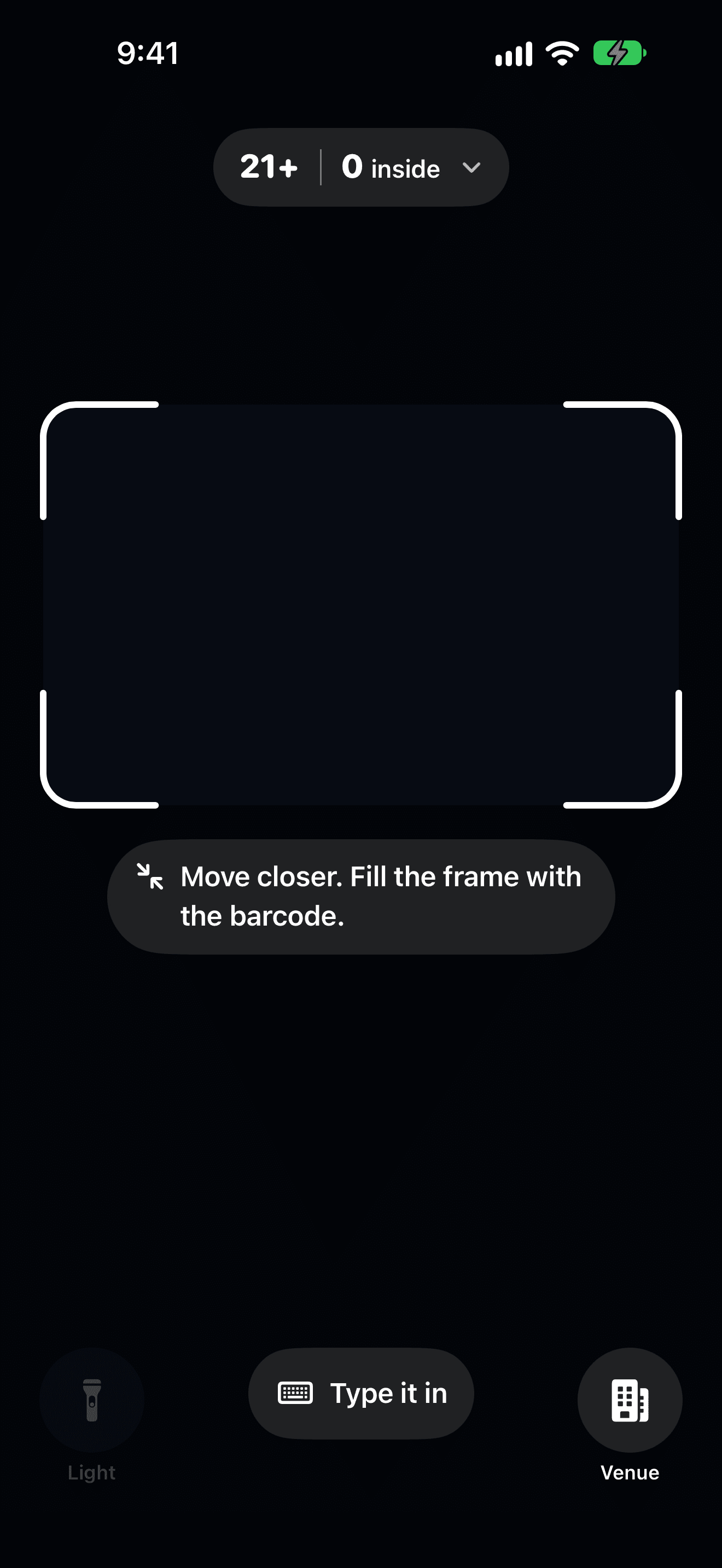
Point the camera at the back of the ID.
ID Scanner reads the barcode on the back of US driver's licenses and ID cards from all 50 states and DC, and Canadian ones. It also reads the code lines on passports and ID cards worldwide. For ID cards it can ask staff to flip to the front, and it cross-checks the printed birth date.
Barcode too worn to read? Type it in. Bluetooth and USB barcode scanners work too. Nothing needs the internet: checks happen on the device.
2. The answer
One color, one word, one number.
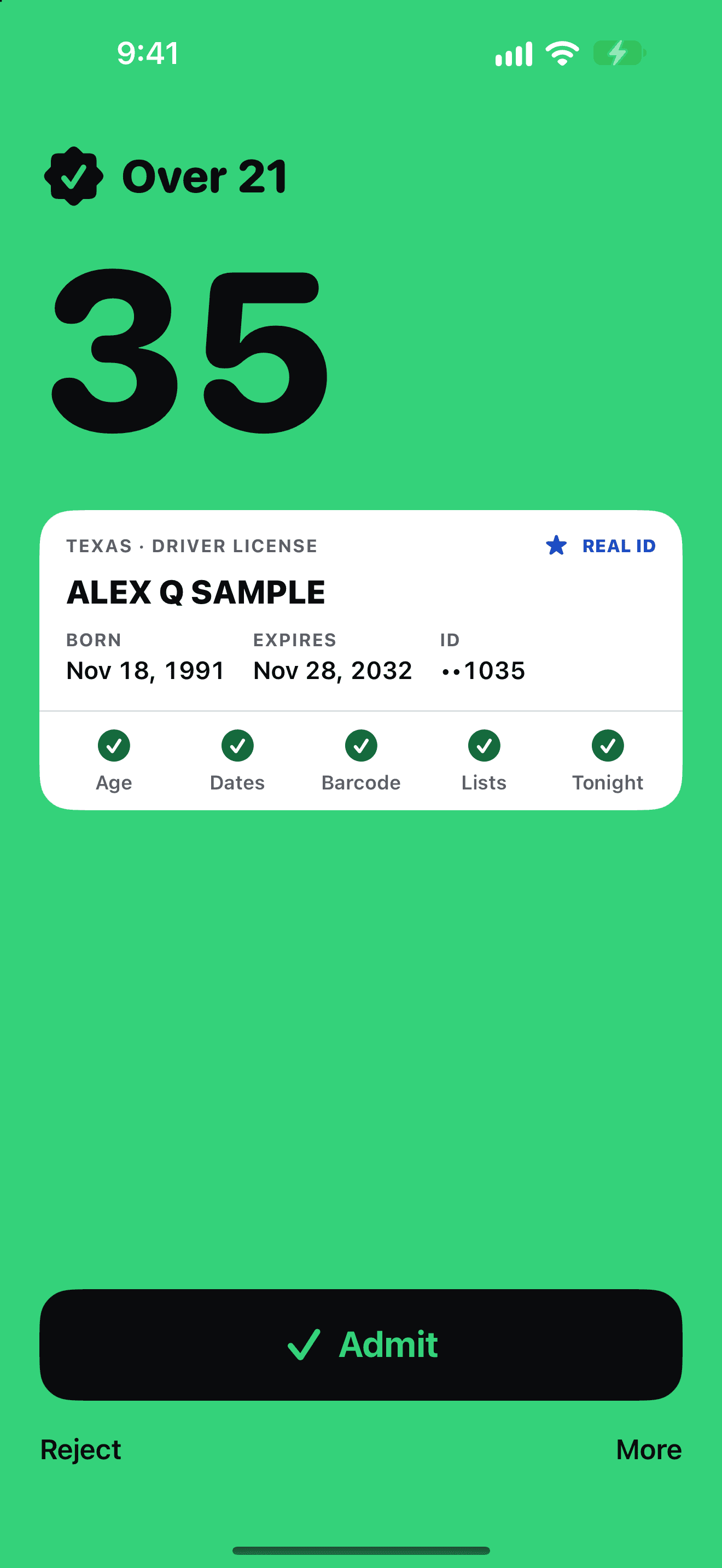
The whole screen turns one color, with the verdict word, a symbol and the age in huge numbers, readable at arm's length in a dark room. Never color alone.
Every result has its own vibration, so staff know the answer without looking. Guests who can come in get a short, soft chime made for the app. iPad, which can't vibrate, plays an alert for the rest.
Every result
Over 21
Green
Old enough for your rule, and nothing to look at.
Entry OK · under 21
Periwinkle
Under the 18 to enter, 21 to drink rule: they can come in, but not drink.
Under 21 / Under 18
Red
Too young for your rule, with when they turn the age.
Expired
Red
The ID is past its expiry date.
Not valid yet
Amber
The ID's start date hasn't come yet.
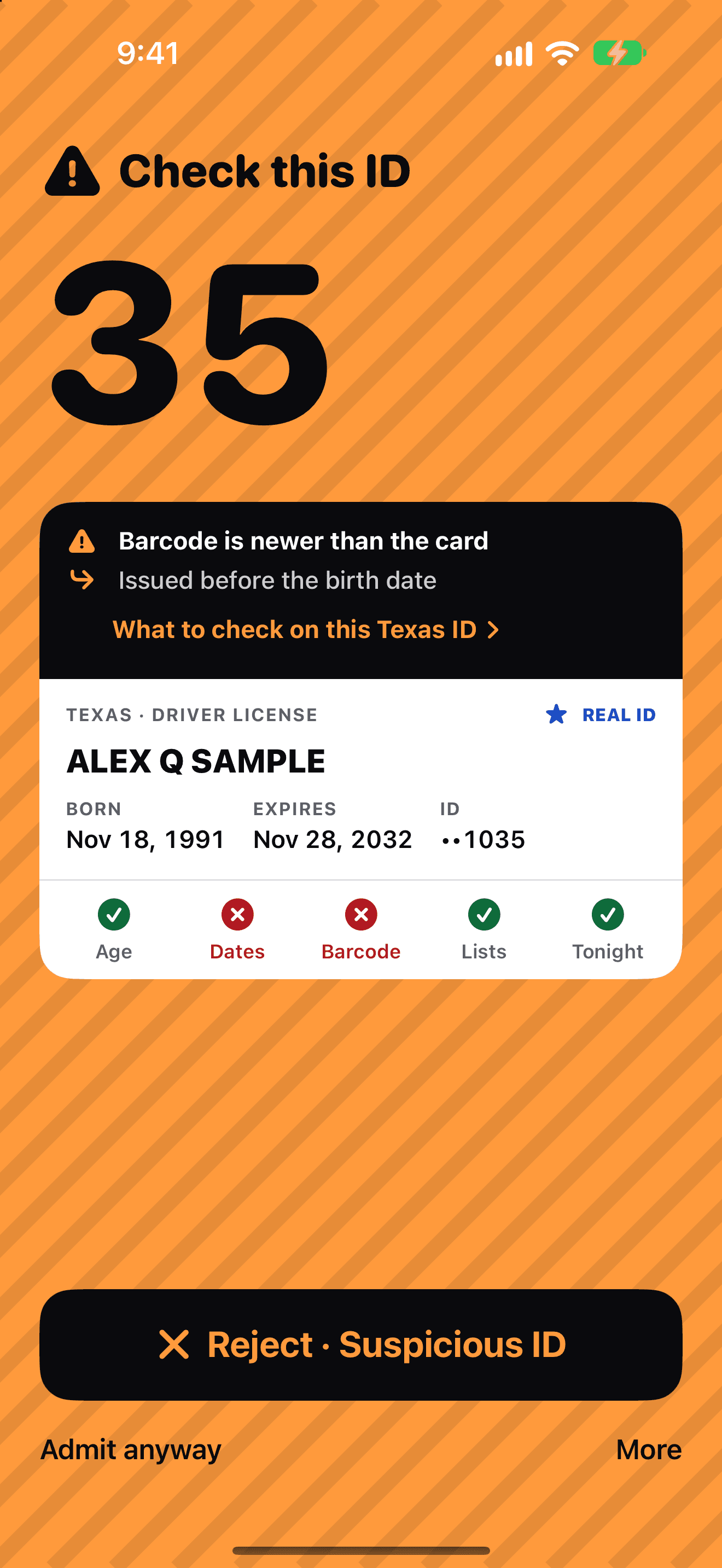
Check this ID
Orange with stripes
Something didn't add up. The app says exactly what to look at.
Banned
Rose with stripes
On your Banned list, with the reason you saved.
Already scanned
Magenta
This ID was used tonight already, often a card passed back to a second person.
VIP
Gold
On your VIP list.
The pass
Under the verdict sits one white card that never grows, so staff always know where to look.
The instruction strip
A dark strip, only when staff need to act. For example: "Photo page shows a different birth date. Check: 12 AUG 1999", or the reason someone was banned.
Match it to the card
The name, birth date, expiry and last 4 of the ID number, read from the barcode. Compare them with the front. This catches the common altered ID: a new front put over a real barcode copied from someone else's ID. The name is shown, never saved in Verify Only.
The five checks, in plain words
Always in the same place, in the same order. Each is a green tick, a red cross, or a grey ? when it couldn't run. Tap one for the detail.
- Age
- The birth date against your age rule.
- Dates
- Whether the ID has expired or isn't valid yet, and whether its dates add up.
- Barcode
- Whether the barcode, or a passport's code lines, looks the way its issuer makes it: format, dates and issuer. More than a dozen security checks in all.
- Lists
- Whether the ID is on your Banned or VIP list.
- Tonight
- Whether this ID was already scanned tonight.
Checks can't prove an ID is genuine and don't inspect holograms or UV features. A clean result means the checks found nothing. Staff still look at every ID.
3. The ID Guide
What to look at, state by state.
The ID Guide shows what to look at on a license from each of the 50 states and DC. When a result says Check this ID, it links straight to the right state's page. It's a reminder of what issuers publish, not an official reference.


4. Records and reports
A record you can show an inspector.
Every check goes into a signed, tamper-evident record. When nothing has changed, it shows Records verified.
Export a PDF compliance report or a CSV file for inspections. Insights show tonight, this week and this month: who was turned away and why, and the door rush by hour. Reports are documentation, not legal advice.
5. Setup
About a minute, then a practice door.
The app asks who's setting it up, the type of venue (which sets the age rule), your state, and how many guests come on a busy night (which sets capacity). Then it shows a 4-guest "Friday, 11:40 pm" practice door, so staff try it before the first real guest.
Set up your door tonight. 7 days free.
Setup takes about a minute, with a practice door before your first real guest.
Coming soon to the App Store
7 days free, then $99.99/year. Cancel anytime. or $14.99/month
